
For wholesale, distribution, supply, trading, and e-commerce teams
Workflow software for wholesale, distribution and supply businesses
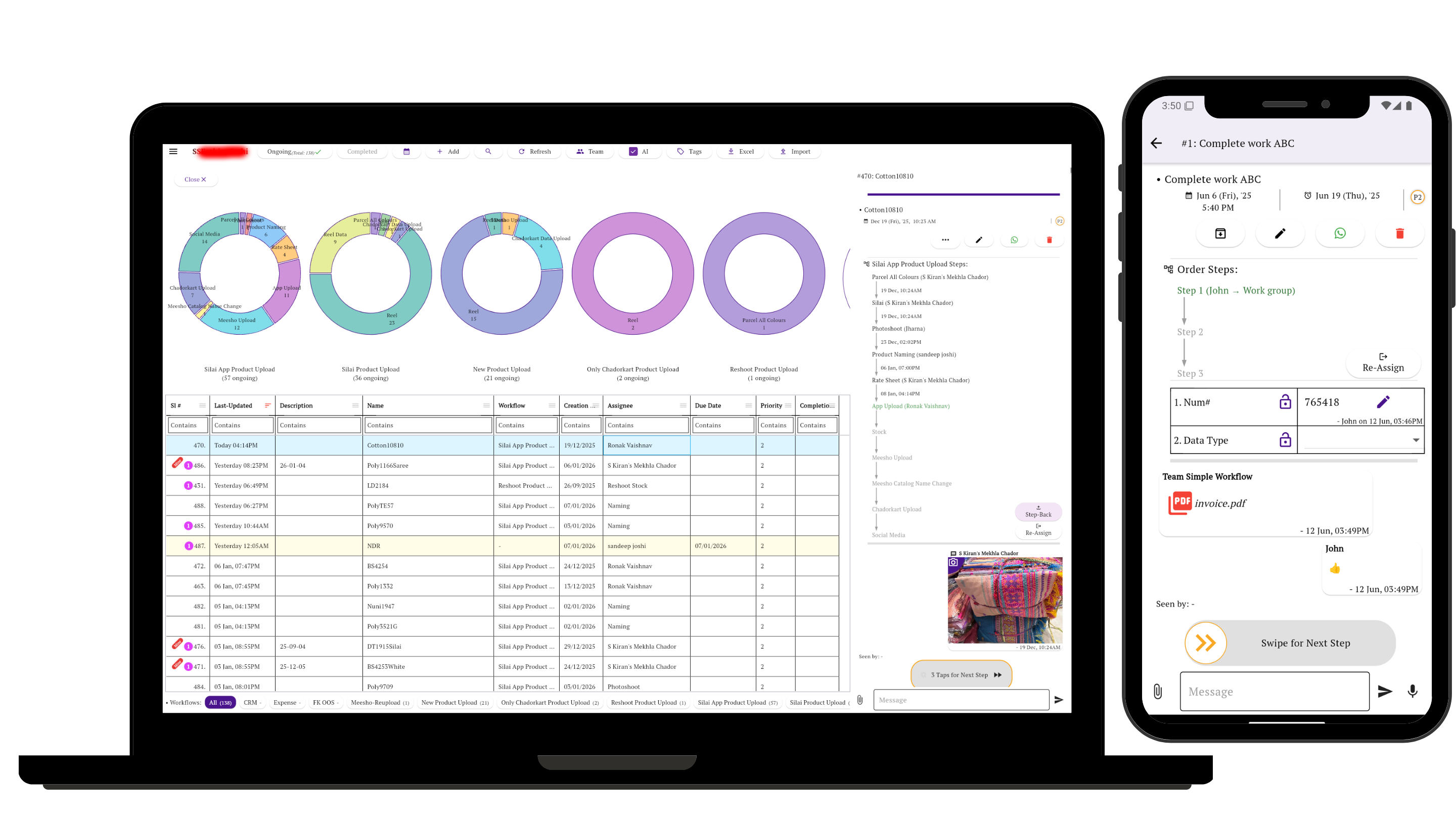
Track each order or operational job through the real steps between request and completion—who owns it, what is waiting, which file or approval is missing, and what happened before.
Simple Workflow gives small teams a shared process for order follow-up, purchasing, stock checks, dispatch, delivery evidence, returns, and collections. It works alongside the business systems you already use.
Who this is for
Small teams coordinating goods, documents, and follow-up
The common thread is not a particular product. It is a job that crosses sales, purchasing, accounts, warehouse staff, delivery teams, or outside suppliers before it is truly complete.
- Wholesale distributorsMove sales orders through availability checks, allocation, packing, dispatch, and delivery confirmation.
- Food and FMCG suppliersTurn frequent stock counts and shortage reports into replenishment and supplier follow-up.
- Building material and industrial suppliersCoordinate stock or production readiness, transport, quantity checks, and delivery evidence.
- Paper, stationery, and general merchandise tradersKeep billing, packing, dispatch documents, and pending quantities with the order.
- Retail and multi-store operatorsTrack physical stock checks, store requests, cash or billing verification, and corrective action.
- E-commerce sellersCoordinate product photos, naming, rates, SKUs, stock status, channel listings, and website orders.
- Importers and trading companiesRecord supplier quotes, purchase approval, shipment follow-up, receipt, and payment terms.
- Drop-ship and direct-from-supplier businessesFollow factory orders, shipment status, delivery notes, and invoices without handling every item themselves.
The coordination gap
An order can be busy and still have no clear owner
A chat message records that stock is short. A call confirms a delivery date. A spreadsheet has the pending quantity. The invoice is in another system. None of those tells the whole team what must happen next.
That gap is where orders wait, purchasing follow-ups get repeated, and “dispatched” is mistaken for “delivered.”
Status without context
“Pending” does not show whether the team is waiting for stock, payment, approval, transport, or a supplier reply.
Handoffs without ownership
Sales may think the warehouse has the order while the warehouse is waiting for a confirmed invoice or release.
Evidence outside the job
Photos, bills, delivery notes, payment references, and approval messages are hard to recover when they live in separate threads.
Patterns observed in subscribed accounts
Seven workflows that recur across the customer data
The routes below simplify repeated patterns in the source workbook. They are not copied customer procedures. The line under each route is a suggested way to configure Simple Workflow for a small team.
Sales order to dispatch
Observed: wholesale, supply, and trading
Order received → Availability check → Sales order / billing → Pick and pack → Dispatch arranged → Dispatched
Suggested setup: Create one task per order. Assign the availability check to the stock owner, attach the relevant order or invoice, and transfer ownership when the warehouse can act.
Purchase to goods receipt
Observed: distribution and material purchasing
Purchase request → Price / supplier review → Approval → Purchase order → Supplier and transport follow-up → Goods received → Quantity and quality check → Invoice recorded
Suggested setup: Keep quotes, the approved purchase order, expected date, receipt photos, and invoice with the task. Use an approval stage before the buyer places the order.
Stock verification and replenishment
Observed: FMCG, retail, and e-commerce
Count or stock check → Shortage recorded → Replenishment owner assigned → Order placed → Stock received → Count verified
Suggested setup: Use a recurring task for each location or product group. Record the exception and next action; leave quantities and valuation in the inventory system.
Delivery proof and exceptions
Observed: distribution and direct delivery
Delivery scheduled → Loaded → Delivery documents issued → Out for delivery → Proof received or exception reported → Pending items rescheduled → Closed
Suggested setup: Assign one person to follow the shipment through confirmation. Add the signed document, photo, or exception note before the job is closed.
Returns, damage, and claims
Observed: wholesale purchasing and sales returns
Return or damage reported → Evidence collected → Review / approval → Supplier or carrier notified → Return or claim recorded → Credit / replacement followed up → Closed
Suggested setup: Keep photos, quantities, the related order, and the decision together. Give the credit, replacement, or claim a named owner rather than closing at notification.
Payment follow-up and reconciliation
Observed: trading, FMCG, and distribution
Amount due identified → Follow-up assigned → Customer or supplier contacted → Bank receipt checked → Accounts entry made → Receipt or update shared → Reconciled
Suggested setup: Track the follow-up and handoff, not the ledger itself. Store the due date and payment reference on the task, then let accounts verify it in the accounting system.
E-commerce catalog and order operations
Observed: marketplace and website sellers
Product received → Photos prepared → Product name and rate confirmed → SKU linked → Stock checked → Channel listing published → Website order checked → Shipment handed off
Suggested setup: Use separate task types for catalog work and live orders. Attach approved photos or copy, name the channel, and hand the order to fulfillment only after stock is confirmed.
Using Simple Workflow
Keep the next action attached to the order or job
A task becomes the operational record around the transaction. Your inventory, accounting, ERP, warehouse, or e-commerce platform remains the system that processes it.
Stages and approvals
Use stages that answer a real question: Is stock confirmed? Is the purchase approved? Has payment been checked? Has delivery proof arrived?
Owners and handoffs
Assign the person responsible for the next action. Move the task forward when responsibility passes from sales to accounts, purchasing, warehouse, or delivery.
Files, forms, and updates
Keep order forms, quotes, invoices, photos, delivery documents, notes, and approvals with the task so the next person has the context.
Exceptions
Give shortages, damaged goods, pending quantities, and failed deliveries a visible route instead of hiding them inside general order status.
History
Review the stage changes and updates when someone asks what happened, who acted, or why an order is still open.
Reusable processes
Start with a short route for one common order. Add a different workflow only when the product, channel, or handoff genuinely changes.
See how workflow management with steps connects stages, ownership, and approvals.
Product boundaries
Simple Workflow complements your operating systems
Use Simple Workflow for the human process around an order: follow-ups, approvals, responsibility, documents, exceptions, and handoffs.
It is not a replacement for software that maintains quantities, posts financial transactions, controls warehouse movements, or runs an online storefront.
Keep using specialized systems for:
- Inventory software for item balances, batches, valuation, and reorder calculations.
- Accounting software for ledgers, tax, invoices, bank reconciliation, and financial reporting.
- ERP or warehouse management software for transaction processing, scanning, locations, and fulfillment controls.
- E-commerce platforms for storefronts, carts, payments, catalog publishing, and channel orders.
Start with one order your team is already handling
Write down its actual stages, assign the next owner, and keep the next approval or document with the task.
Related Simple Workflow guides
Build a process your team can keep current
Questions about Simple Workflow for wholesale and distribution
What can a wholesale or distribution team track in Simple Workflow?
A team can track the operational stages around orders, purchases, stock checks, dispatch, delivery proof, returns, and payment follow-up. Each task can show its current stage, owner, updates, files, and history.
Can we use different workflows for sales orders, purchasing, and returns?
Yes. Use a separate workflow when the stages and handoffs are meaningfully different. A sales order might move through stock confirmation, packing, and dispatch, while a purchase moves through approval, supplier follow-up, receipt, and verification.
Does Simple Workflow replace inventory, accounting, ERP, warehouse, or e-commerce software?
No. Those systems should continue to manage stock, financial entries, warehouse transactions, and online selling. Simple Workflow tracks the people-driven process around that work, including ownership, approvals, documents, follow-ups, exceptions, and handoffs.
How should a small team start?
Choose one common order or purchasing process and use only the stages your team needs to act on. Create a task for a live job, assign the next owner, attach the relevant document, and adjust the workflow after the team has used it.