
Create & Track Process
Steps for your Team
Simple Workflow helps you turn daily operations into clear workflows, assign owners, verify work, and see every task by stage.
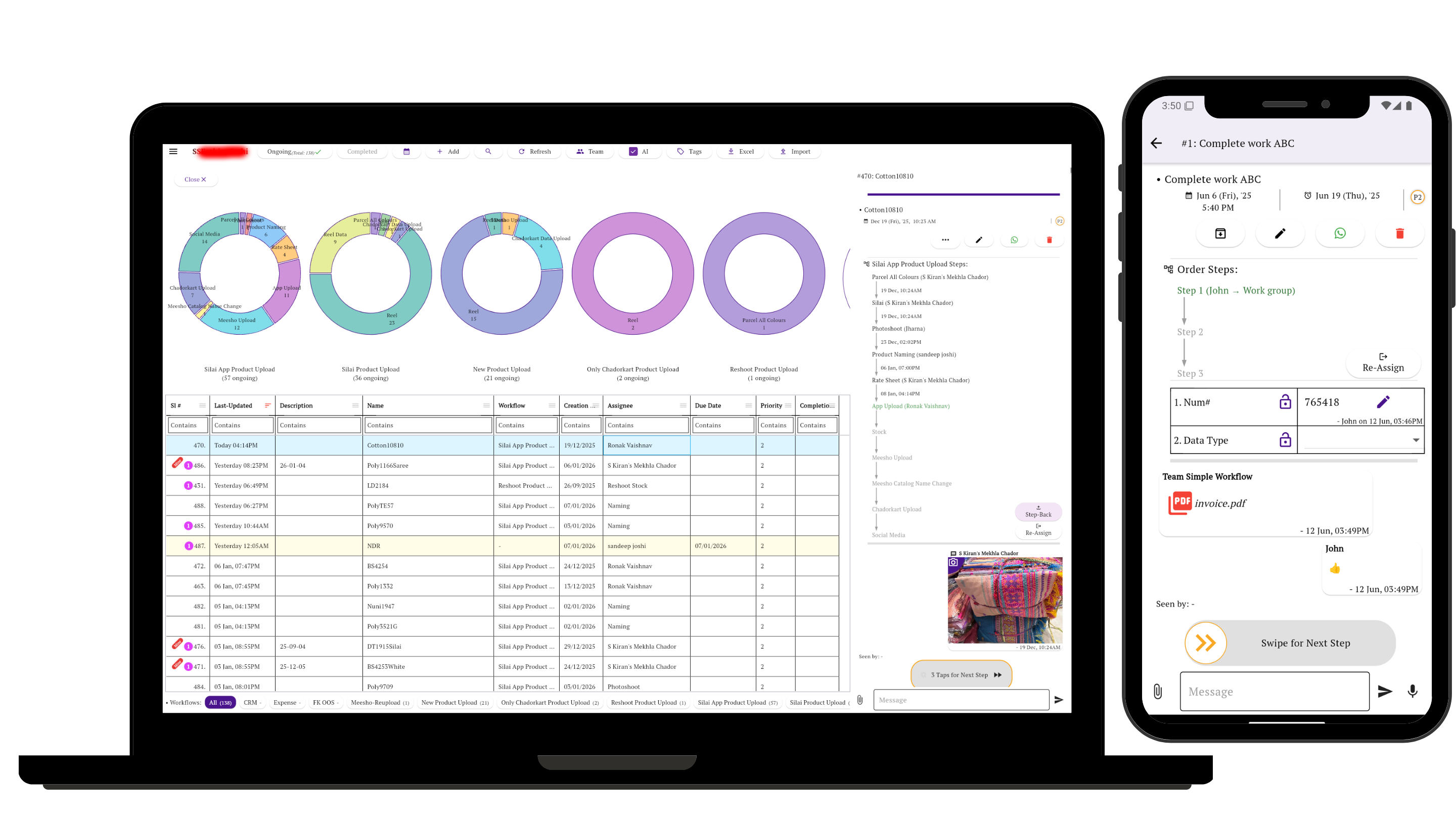
For operations that need more than a task list
Use Simple Workflow when work moves through stages: request, assignment, verification, approval, completion, reporting, or any process your team repeats every day.
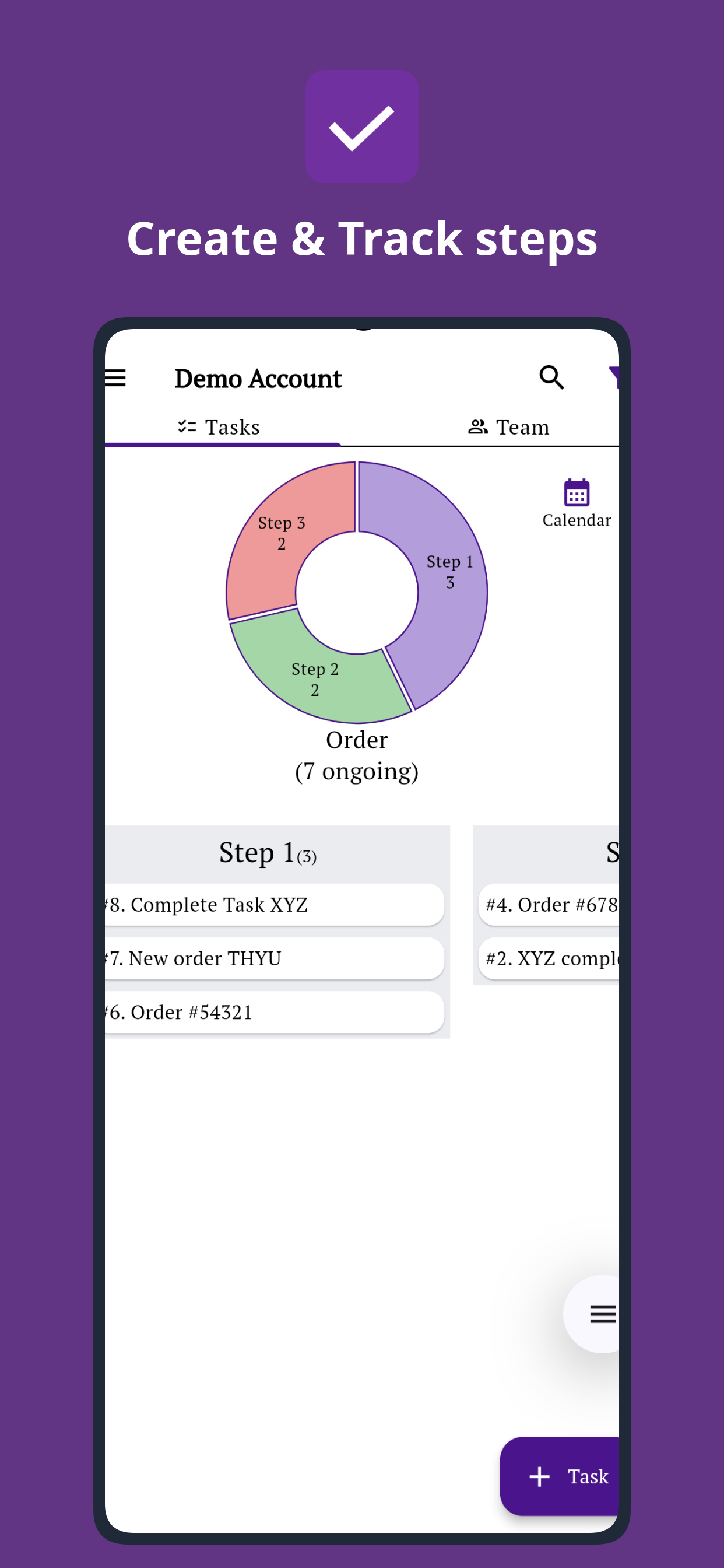
Use steps when work has a process
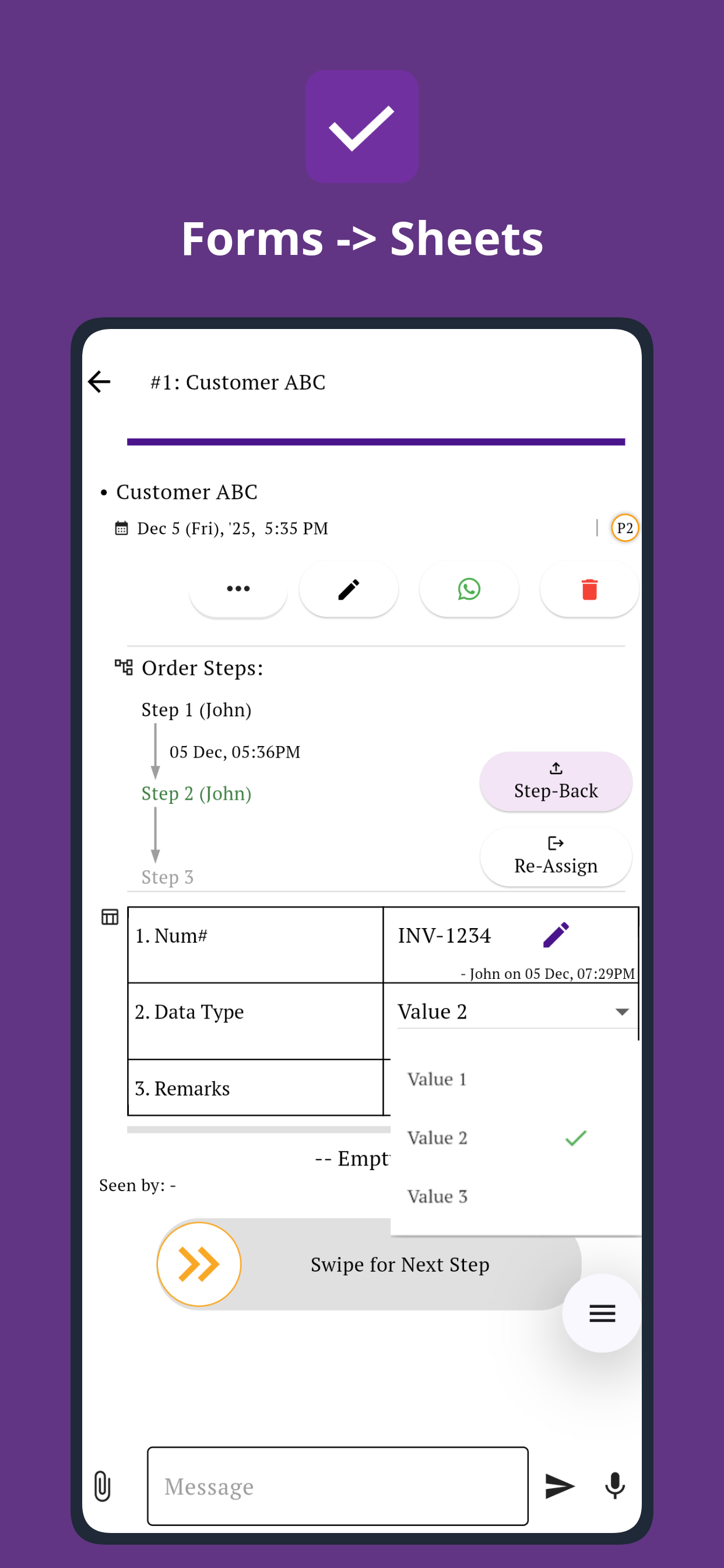
A task is simple when one person can finish it directly. Steps are useful when the same work must move through stages, people, checks, or approvals.
You'll see in under a minute
Track every step from your laptop dashboard
See the workflow stages, task movement, and progress overview clearly on the web app while your team updates work from mobile.
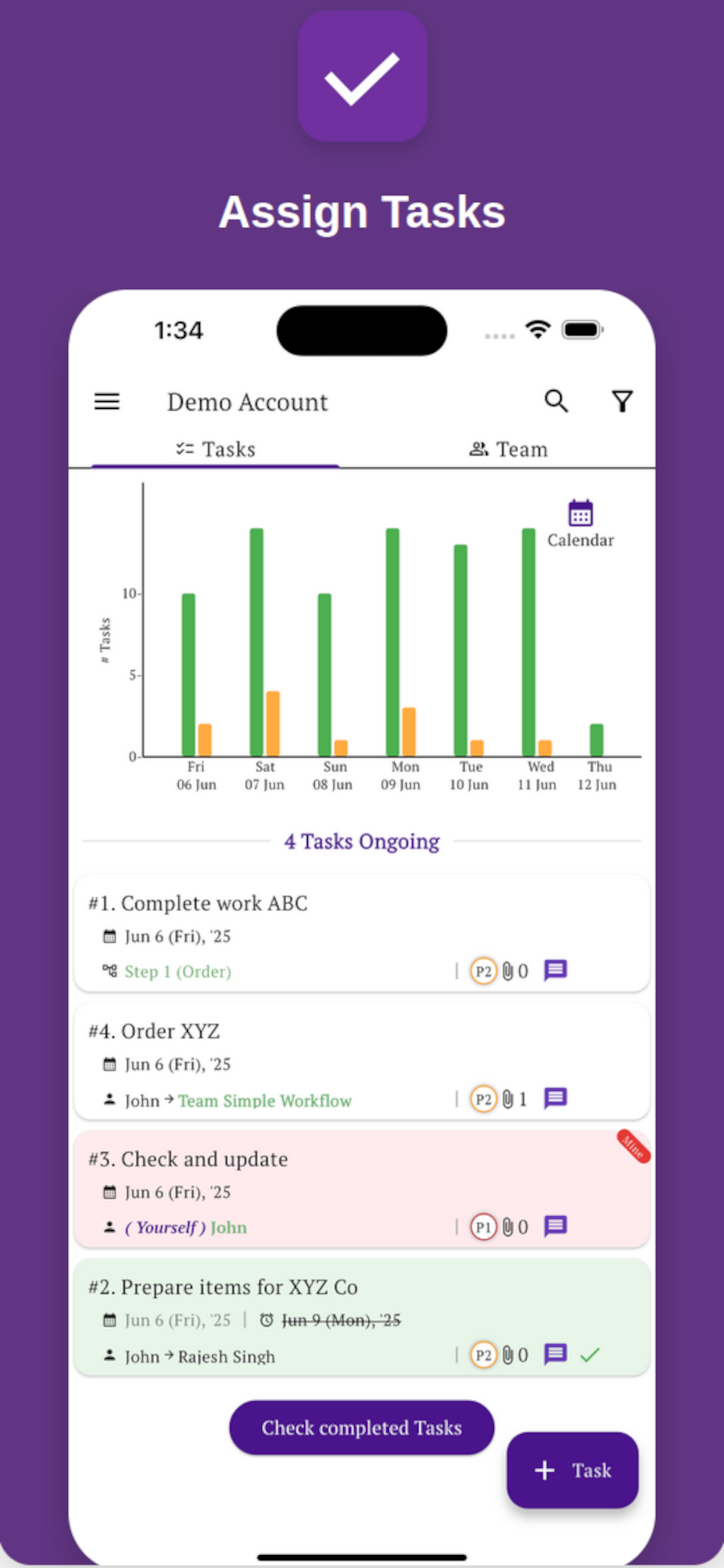
Assign clear ownership
Create tasks, set responsible people, and make sure each step has a clear next action.
Track by stage
See where work is stuck, what is pending, and how tasks are distributed across your process.
Verify completion
Collect updates, comments, files, photos, and proof from the team before closing work.
Connect your apps and website
Bring the tools your team already uses into the same operations flow, including WhatsApp, Gmail, Sheets, Shopify, websites, and AI tools.






Your team can use it from mobile too
Managers can plan and review operations from a laptop. Staff can receive tasks, move steps, fill forms, and send updates from mobile.
No fluff. Just the workflow, steps, task ownership, team updates, and reports you need to manage operations. Our technical team can also help you set up your first process.
