Simple Task Management Without Projects, Boards or Complicated Hierarchies
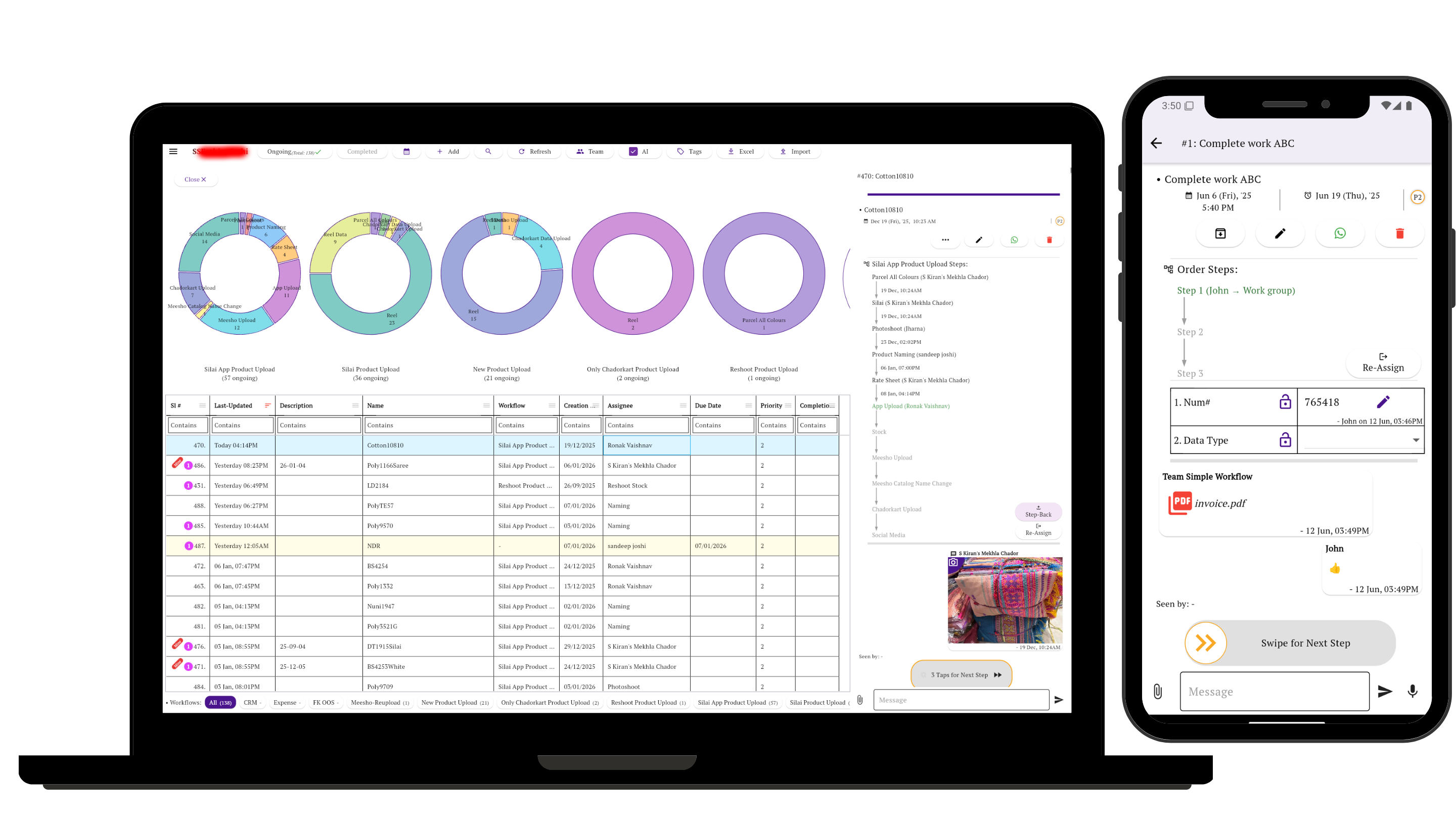
Your team should not have to navigate projects, spaces, boards and inboxes just to find today's work. In Simple Workflow, the task itself is the workspace — with conversation, documents, forms, ownership and history together around one piece of work.
It is software that lets a team see what needs attention, open the work directly, understand its status and take the next action without forcing everyday users through unnecessary project-management layers.
Your Team Shouldn't Need a Map to Find a Task
Many project-management suites are built to organize large amounts of work through layers such as workspaces, projects, folders, boards and views. That structure can be useful for complex project planning. It can also be unnecessary friction when a team simply needs to assign, discuss and finish ordinary work.
See your work
Open the app and see the tasks relevant to you instead of browsing every project in the organization.
Open the task
One tap takes you into the work itself, where its status, updates, files and pending action are visible.
Do the next thing
Add an update, upload a document, fill a form, change the owner or complete the task.
The Task Itself Is the Workspace
A task in Simple Workflow can be an order, production batch, approval, service request, expense, renewal, delivery, internal request or an ad-hoc piece of work.
Open it and the working record stays together. You do not have to reconstruct the story from a project board, a group chat, a shared drive and a spreadsheet.
- Messages and team updates
- Photos, PDFs and other documents
- Current owner and responsible group
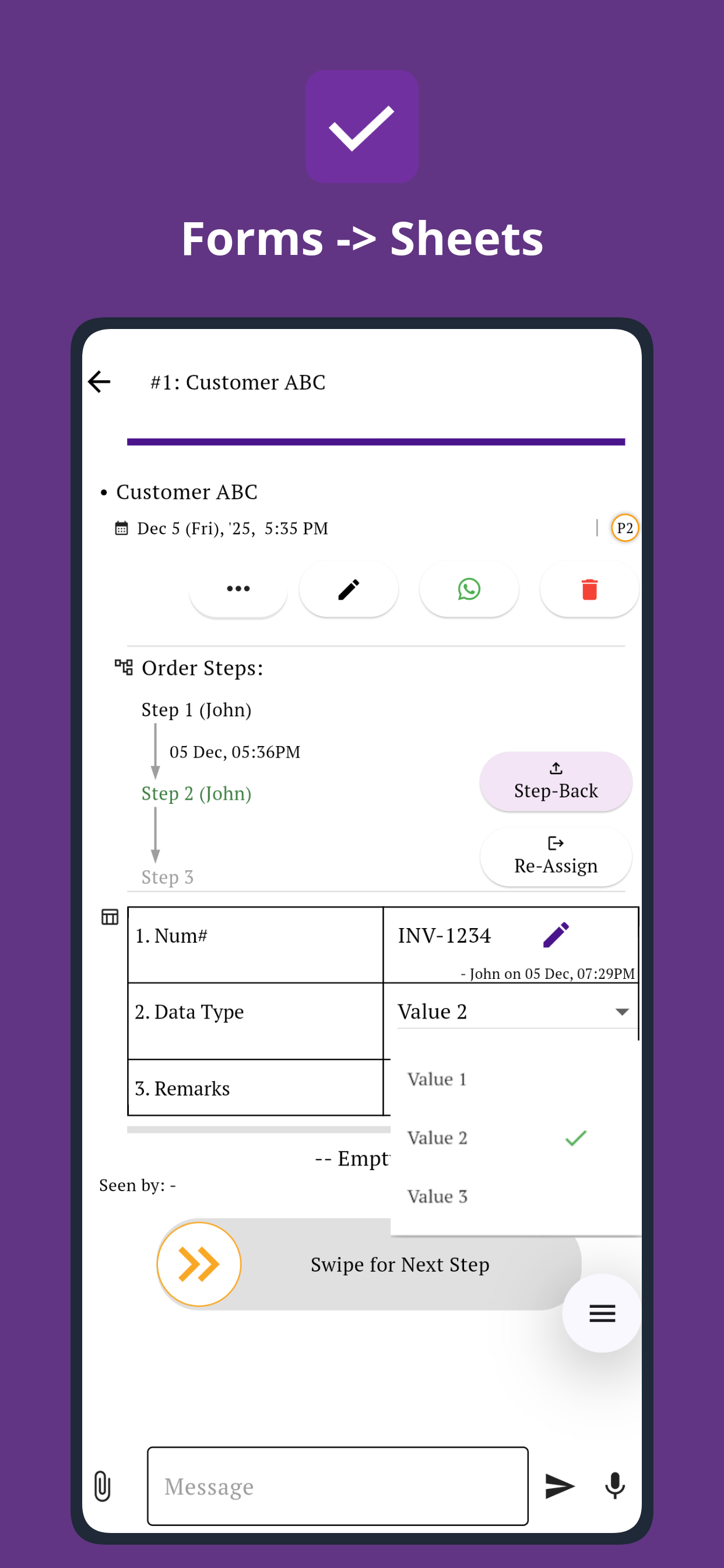
- Forms for searchable structured information
- History of decisions, updates and ownership changes
If work needs to follow a predefined route through several people, see how to build a workflow with stages, owners and approvals.
Real work being tracked in Simple Workflow
From May 2026 through Oct 2026 to date, 98,155 tasks were created in Simple Workflow.
Tasks created over the last six calendar months
The line adds each month to the preceding months; the current month is shown month-to-date.
| Month | Created that month | Running six-month total |
|---|---|---|
| May 2026 | 17,256 | 17,256 |
| Jun 2026 | 17,859 | 35,115 |
| Jul 2026 | 19,452 | 54,567 |
| Aug 2026 | 17,096 | 71,663 |
| Sep 2026 | 15,192 | 86,855 |
| Oct 2026 MTD | 11,300 | 98,155 |
Monthly creation totals include all task records, including tasks later deleted. Updated 23 Oct 2026, 1:09 am IST.
One Task Should Answer Four Questions
Someone opening a task should be able to understand the situation without calling the previous person or searching through several other tools.
People See the Work Relevant to Them
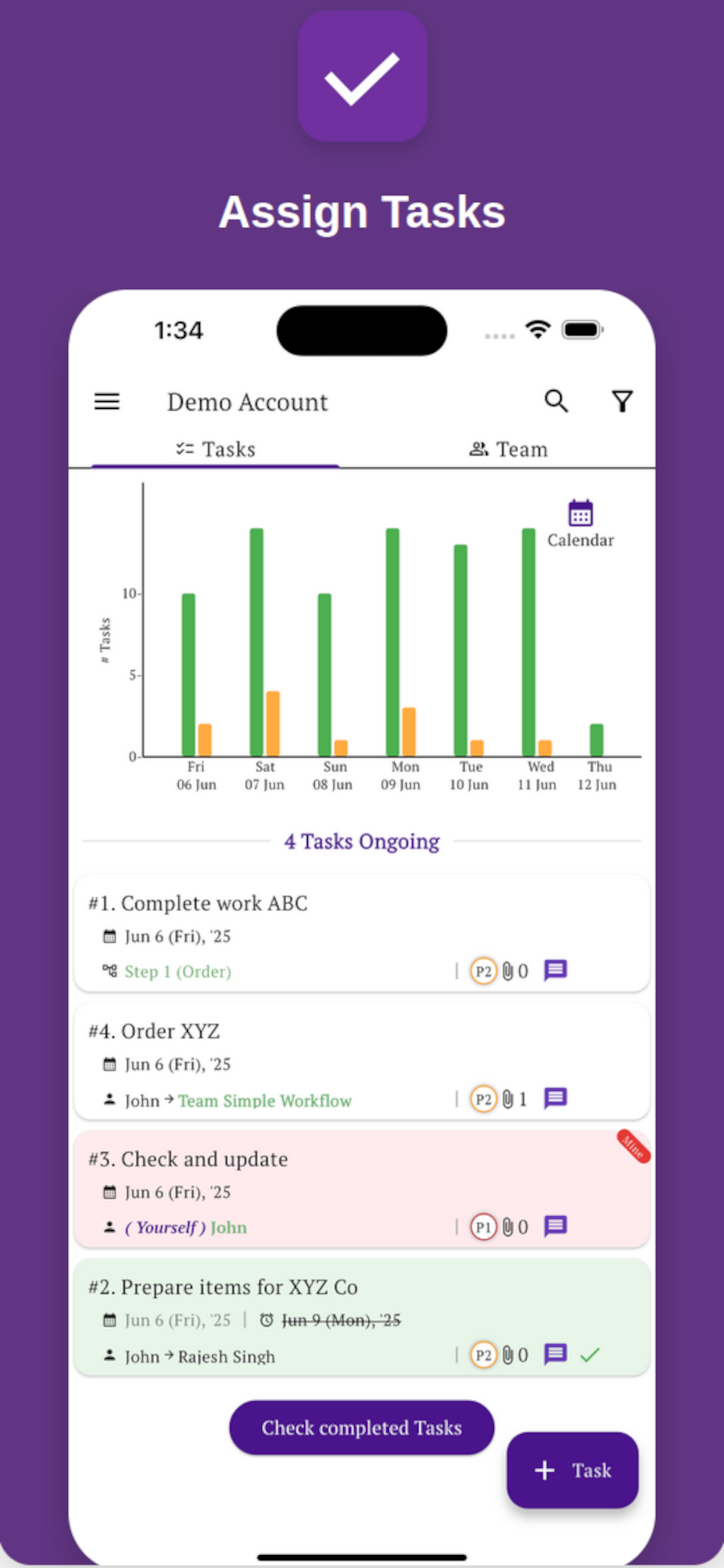
Simple Workflow is designed so that team members do not need to browse every task created by the business. Actionable work is available from the front page, and work requiring a person's attention can be marked with a Mine flag.
That makes the home screen answer a practical question immediately: What do I need to work on right now?
From there, one tap opens the task so the person can understand its status or update the work.
A Chat-Like Task, Not Just Another Comment Box
Chat apps are easy because the interaction is familiar: open the conversation, see what happened, add an update.
Simple Workflow keeps that familiarity but attaches the conversation to an actual piece of work. The task can also have an owner, structured fields, documents and a complete activity history.
This means your team can work with the simplicity of a chat interface without losing the ownership and accountability that a business needs.
See why managing orders in group chat becomes difficult when updates, ownership and order details are buried in the conversation.
Chat app
Easy conversation, but the business context may be scattered elsewhere.
Simple Workflow task
Conversation + ownership + files + forms + task history, together around the work itself.
Easy on iPhone, Android and Laptop
Team work does not happen only at a desk. The same task can be updated from a phone and reviewed from a laptop without changing the basic way the team works.
See how mobile-first workflow software supports phone-based work without excluding laptop users.
Simple Task Management Software: FAQs
What is simple task management software?
Simple task management software helps a team create, assign, update and complete work without requiring everyday users to manage unnecessary layers of project structure. The goal is to make work easy to find, understand and update while keeping ownership clear.
Do teams need projects to manage tasks?
Not always. Projects are useful when many tasks must be planned together around a larger objective. Teams often handle requests, follow-ups, reviews and other individual work items that can be managed directly without first placing everything inside a project.
What is chat-like task management?
It uses a familiar conversation-style experience inside a task so updates stay connected to the work. Unlike an ordinary group chat, the task can also have an owner, forms, documents and an activity history.
How is Simple Workflow different from using a messaging app for work?
A messaging app is organized primarily around conversations. Simple Workflow is organized around work. Each conversation belongs to a task, and the task can also contain ownership, structured information, documents and task history.
Can a task contain photos, PDFs and other documents?
Yes. Files and updates related to the work can stay attached to the task so the next person can understand the context without searching through a separate chat or folder.
Does Simple Workflow work on mobile and desktop?
Yes. Simple Workflow is available on iOS, Android and the web, so team members can update work from phones while managers can review the same tasks from laptops or desktops.
The Task Should Be the Easiest Place to Understand the Work
Keep the conversation, documents, ownership, forms and useful history together — then let each person get to the work with as little navigation as possible.