Mobile-First Workflow Software for Teams That Work Away From Desks
Employees update jobs from Android or iPhone while managers monitor the same operation from mobile or a laptop.
Mobile-first workflow software makes the everyday actions needed to carry out operational work practical on a phone—not merely available in a reduced companion app. It is for people working in shops, vehicles, customer locations, production areas, warehouses, and other places without a permanent desk.
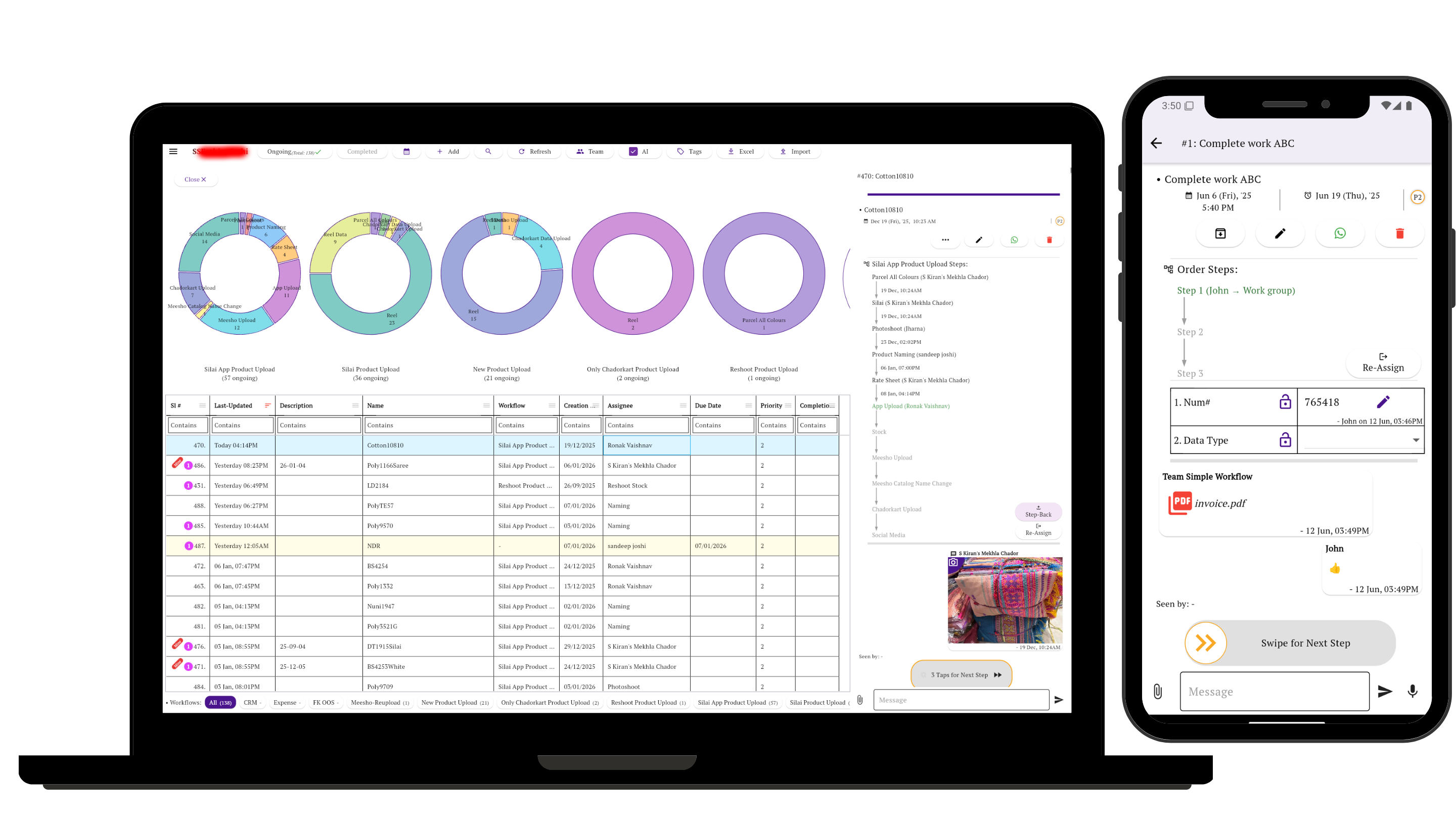
Use the Screen That Fits the Work
The phone is the primary interface for receiving a job, adding evidence, completing a responsibility, or handing work to the next person.
The web app gives owners and office employees more room to review jobs, plan work, or configure workflows. These are not separate systems: everyone works with the same stage, owner, messages, files, forms, and history.
Act while the job is in front of you
Open the task, add an update or document, complete the responsibility, and pass the job forward from the phone.
Review the wider operation
Follow pending jobs and manage the process on a larger screen—or use mobile away from the office.
What Frontline Work Should Feel Like on a Phone
A mobile-first operational tool reduces the distance between doing the work and recording what happened.
See what needs attention
Start with relevant work instead of navigating complicated spaces, boards, and projects.
Update it where it happens
Add a comment, photo, document, PDF, or form at the job site.
Move responsibility forward
Complete the current part and pass the job to its next stage or owner.
Check the latest state
See the stage and context without asking for a status recap.
Keep the record intact
Preserve updates and history instead of scattering them across calls and messages.
Use one working model
Let phone-based employees and laptop-based managers work with the same job.
Desktop-First Tool or Mobile-First Operational Workflow?
The full structure starts on a large screen
- Organized around projects, workspaces, boards, and multiple views.
- Mobile may be best for checking work planned elsewhere.
- Useful when detailed planning and broad features are central.
Daily execution starts with the person doing the work
- Work is easy to reach by task, stage, owner, and next action.
- Phone users add evidence and move the job ahead during the work.
- Managers retain web access for review, setup, and oversight.
For process design and the broader small-team software decision, read the guide to workflow management with steps.
When Mobile-First Workflow Software Is Useful
Printing and production
An order can move from artwork and approval to printing, finishing, and dispatch without every employee using a computer.
Transport and heavy vehicles
A driver or field employee can report an issue, attach a photo or bill, and send it to the person responsible for checking or approval.
Supply and distribution
Marketing records an order, stock or accounts checks it, and the delivery person confirms completion from a phone.
Mobile-first is useful when recurring work changes hands and the people closest to it rarely sit at laptops. See how recurring jobs move through stages and common small-business workflow problems.
Where Simple Workflow Fits—and Where It Does Not
Simple Workflow is mobile-first workflow software for small operational teams, typically around 3–20 people. Employees can update jobs and move work forward from their phones, while managers can monitor the same workflows from mobile or desktop.
A useful fit
Consider it when chat, task lists, or spreadsheets no longer show a reliable owner and stage, but a large platform would add more structure than needed.
Not for everyone
Complex software development, extensive project planning, resource management, inventory, accounting, or full ERP work may require a specialized platform. Simple Workflow is not a full ERP.
Continue With the Operational Question You Need to Solve
Mobile-First Workflow Software: FAQs
What does mobile-first workflow software mean?
It means everyday workflow actions are designed to be practical on a phone: finding assigned work, opening a job, adding an update or file, completing a responsibility, and moving the job forward. It does not refer to Google's mobile-first indexing.
Can employees use mobile while managers use laptops?
Yes. In Simple Workflow, employees can work from Android or iPhone while managers use mobile or the web app. Both access the same tasks, workflow stages, files, discussions, forms, owners, and history.
Is mobile workflow software suitable for field and shop-floor teams?
It can be. It is designed for teams that receive work, report progress, attach evidence, or complete handoffs where the work happens. Fit depends on the process and any specialist functions required.
How is a mobile workflow app different from a group chat or task app?
A group chat centers on messages, and a basic task app centers on assignments. A workflow app also keeps the job's current stage, owner, next action, files, forms, and movement history connected to the conversation.
Run One Live Workflow Across Phones and a Laptop
Invite frontline employees to update a real job from mobile, then have a manager review the same work from mobile or the web. That is the clearest way to judge whether the working model fits your team.
Available through the Android app, iPhone and iPad app, and web app.