
7 Small Business Workflow Problems That Make Teams Lose Track of Work
Small business workflow problems rarely happen because nobody is working. More often, day-to-day operations get stuck between people, repeatable business processes live in somebody's head, and managers have to chase updates across chat, email, spreadsheets and task lists.
These problems often look like task-management problems. Underneath, they are usually workflow problems: the team cannot clearly see where the work is, who owns it now, and what should happen next.
Your Team May Not Have a Productivity Problem
A small business can be busy all day and still have poor visibility. An order may be waiting for approval, a service request may have moved to another employee, a customer may still owe a document, or a production job may be complete but waiting for verification.
None of those situations necessarily means an employee forgot a to-do. The problem is that the work has a operational process, and its execution is being coordinated informally.
A useful test: if the same kind of work repeatedly passes through people, stages, checks or approvals, you are probably managing a workflow — even if your team currently calls it a task, order, job, case, request or project.
7 Common Small Business Workflow Problems
The symptoms look different across industries, but the operational breakdown is often the same.
Managers have to chase status
A manager should not need to message three people to learn whether a job is waiting for material, approval, dispatch or customer confirmation. When status is carried mainly in conversations, the manager becomes the reporting system. See how visible stages and ownership help managers stop chasing their team for status updates.
Work gets lost at the handoff
One person finishes their part, but the next owner is not obvious. The first employee thinks the work is done; the second does not yet realize it is theirs. Handoffs are where small informal systems often fail.
The same process is rebuilt every time
Orders, approvals, renewals, service jobs and internal requests often follow the same sequence. If those steps must be remembered, copied from an old task or explained again each time, repetition creates more coordination instead of less.
The work and its context live in different places
The task may be in a spreadsheet, the latest update in a group chat, the PDF in email and the photo on somebody's phone. The next person has to reconstruct the story before they can continue the work.
An SOP exists, but today's work is still invisible
An SOP can explain how a process should work. It does not automatically tell you which of today's jobs are waiting at step three, which employee owns them, or whether the required proof was added before completion.
The management tool becomes another thing to manage
Powerful work-management systems can support many use cases. For a small operational team, however, more projects, views, fields and configuration are only useful when the team actually needs them. Otherwise the system can require more administration than the underlying work.
Nobody has one reliable answer to “where is this job?”
This is the combined result of the other six problems. A customer calls. A manager asks about an order. A colleague needs to take over. The team cannot open one place and immediately see what has happened, who owns the work, its current stage, and what must happen next.
The Fix Is Usually Better Process Management, Not More Status Meetings
A workflow does not need to be complicated. For repeatable work, define the stages once and let each live task move through them.
The important part is not the number of steps. It is making the current stage, current owner and next action visible enough that another person can understand the work without a separate explanation.
If this describes your operation, see how workflow and process management with steps, stages and approvals works.
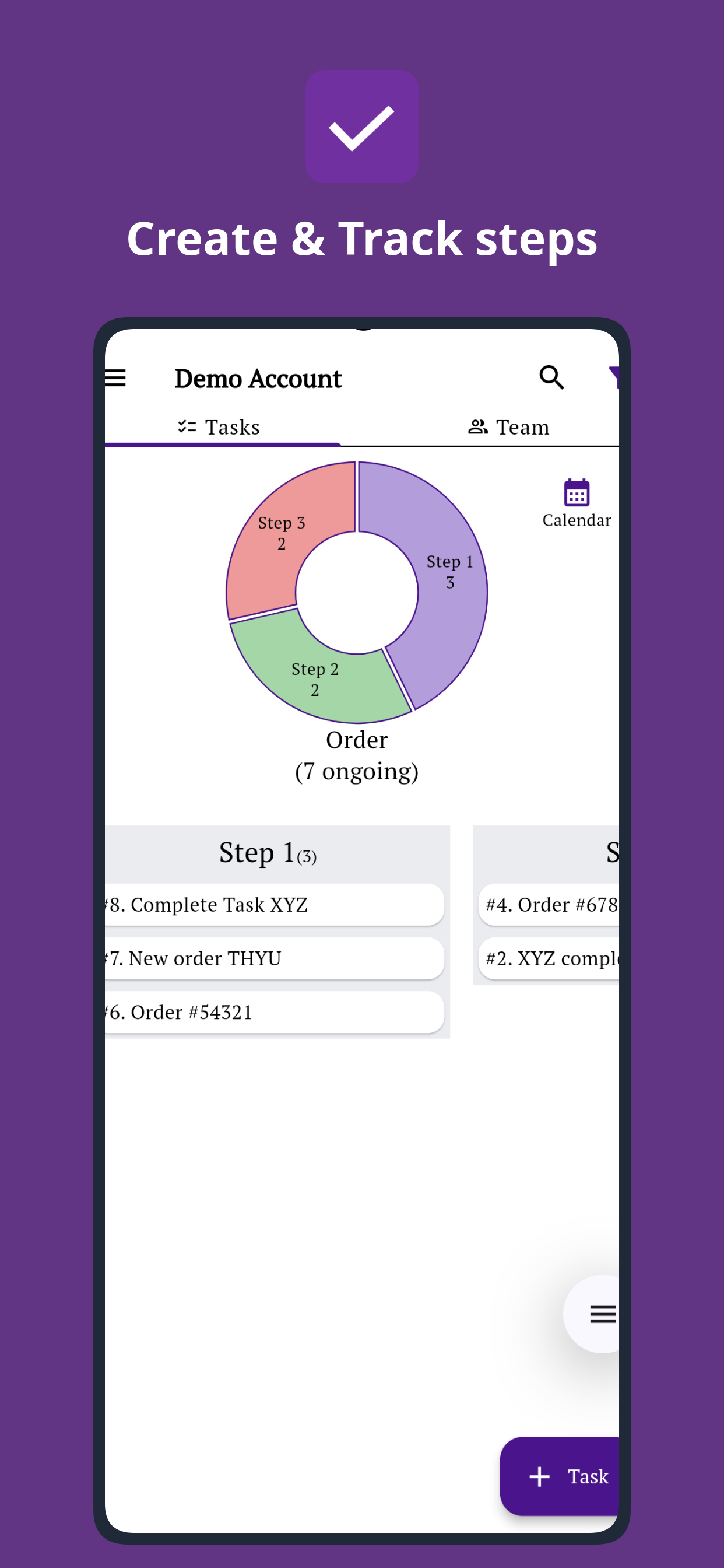
A Job Can Be Simple Even When It Has Several Stages
An order, client onboarding, service request, production job or internal approval may have completely different names. Operationally, they often share the same shape.
The labels change by industry. The management questions do not: where is the work, who has it, what happened already, and what happens next?
Spreadsheet, Trello, Asana, ClickUp or Simple Workflow?
There is no universally best work-management tool. The useful question is how much structure your team needs — and what kind.
| Tool / approach | Often a good fit when | What to think about for repeatable operations |
|---|---|---|
| Spreadsheet + messaging | Your team is very small, the process is simple, and one person can still coordinate most work manually. | Works surprisingly well at first. Friction usually appears when handoffs, status chasing and scattered context increase. |
| Trello | You want a flexible visual board organized around boards, lists and cards, with optional automation. | A strong fit when moving cards across a visual board matches how your team wants to organize work. |
| Asana | You need broader project and task management, including multiple views, dependencies, rules, approvals, reporting or portfolio-style planning. | Useful when the team benefits from substantial project-planning structure in addition to day-to-day execution. |
| ClickUp | You want a broad workspace that can combine tasks with Docs, dashboards, Whiteboards, Chat, many views and other work-management features. | Useful when consolidating many work tools and customizing the workspace is part of the goal. |
| Simple Workflow | Your main problem is repeatable operational work moving through steps, owners, checks, updates and handoffs. | The product is deliberately centered on the work item, its current owner, workflow stage, updates, files, forms and movement history. |
Competitor descriptions checked August 27, 2026 against official product documentation: Trello, Asana and ClickUp. Product capabilities change over time.
The distinction is not “simple tool good, powerful tool bad.” A broader platform is valuable when you need broader capabilities. Simple Workflow is intended for teams whose recurring operational process is the central problem to solve. If a custom internal tool is one of the options, compare building workflow software with buying an established product.
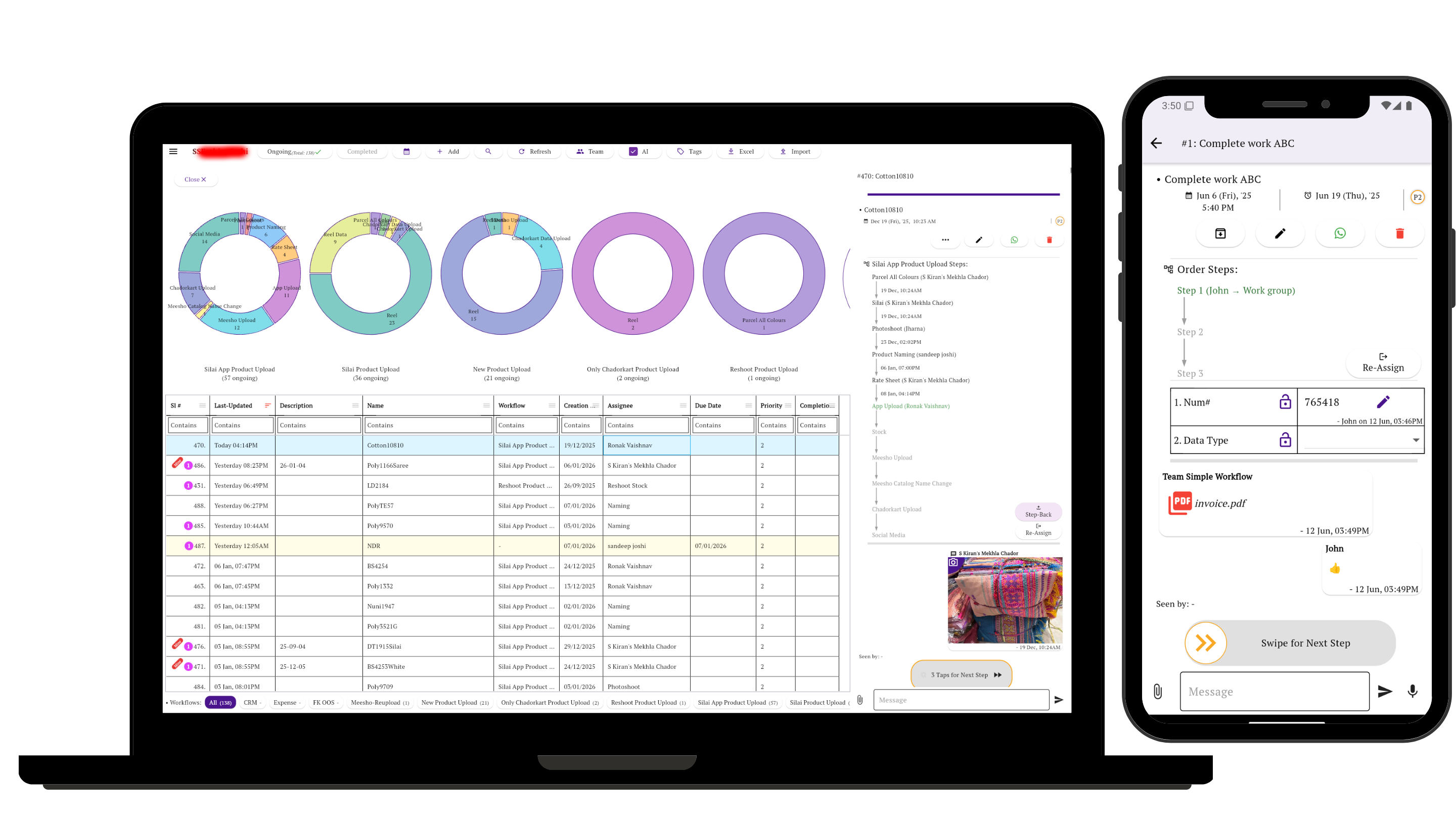
Open One Task and Understand the Work
The practical goal is not to create more project structure. It is to make each piece of work understandable enough that the next person can act.
In Simple Workflow, a task can carry its conversation, current owner, workflow stage, files, photographs, form data and movement history together. Team members can update work from mobile while managers review the same operation from a laptop.
For straightforward tasks that do not need a process, see simple task management without project-management clutter.
When a Workflow System Is Probably Worth It
You do not need workflow software simply because you have employees. It becomes useful when coordination itself starts consuming time or causing errors.
Orders, service jobs, renewals, approvals, production batches, client onboarding or recurring internal processes often require teams to track jobs as they move through stages.
The task is not complete when one person finishes; somebody else must process, check, approve, deliver or verify it.
The business needs a current view of pending work without turning every update into another phone call, message or meeting.
Photos, files, comments, proof, form fields and previous actions need to stay connected to the job so another person can take over.
Our analysis of how 200 sampled small teams actually manage their work found the same broad pattern: small teams often handle recurring operational work with more process structure than a basic to-do list suggests.
Related Guides
Small Business Workflow Problems: FAQs
What is a workflow problem in a small business?
A workflow or business process problem happens when operational work cannot move reliably from start to finish. Common signs include unclear ownership, missed handoffs, repeated status chasing, steps that live only in people's memory, or information scattered across several tools.
How is a workflow problem different from a task-management problem?
A task-management problem is often about creating, assigning or completing individual to-dos. A workflow problem appears when the same work must move through several people, stages, checks or approvals before it is truly complete.
Can a spreadsheet manage a small business workflow?
Yes. A spreadsheet can work well for a small and stable process. It becomes harder when the business needs live ownership, handoffs, conversations, files, proof, notifications or a clear history of how each job moved through the process.
Do I need workflow software if I already have SOPs?
Not necessarily. SOPs document how work should be done. Workflow software becomes useful when you also need to track today's actual work through those stages, including who owns it now, what is pending and what has already happened.
Is Simple Workflow an alternative to Asana, ClickUp or Trello?
It can be for a specific kind of team. Asana, ClickUp and Trello support broader or different ways of organizing work. Simple Workflow is designed around recurring operational work that moves through defined steps, owners, updates, checks and handoffs.
What should I fix first when work keeps slipping through the cracks?
Start with one process that repeats often and causes frequent follow-up. Write down the actual stages, identify who owns each stage, and make the current state visible in one place. Do not begin by trying to redesign every process in the company.
Stop Managing the Gaps Between the Work
Define the repeatable steps, make ownership visible, and keep the updates and history with the task so your team can see what is pending and what happens next.