
Track Recurring Jobs Through Stages, Not Projects
Your team may not run projects at all. You may have 40 customer jobs, orders, cases or client files moving through the same route, each with its own stage, owner and next action.
In that kind of business, the important question is rarely “what percent complete is the project?” It is more often “where is this job now, who has it, and what happens next?”
A Repeating Job Is Not the Same Thing as a Project
“Project” is a broad word, and project-management software can absolutely be used for operational work. But many small businesses are dealing with something more repetitive than the word project suggests.
A custom installation, repair request, insurance renewal, print order, bookkeeping file, purchase request, client onboarding or production job may be different for every customer. Operationally, however, each one often follows a familiar path.
The key distinction: a project is often organized around planning a unique body of work. A job tracking workflow is organized around moving many similar pieces of live work through a reusable process.
Plan the work, then execute it
A project often benefits from milestones, dependencies, subtasks, timelines, resource planning and several parallel workstreams.
- Launching a new website
- Opening a new location
- Implementing a new ERP
- Designing a new product line
Reuse the process, then move each job through it
A recurring job often benefits more from a clear current stage, owner, handoff, history and attached context.
- Customer order → production → dispatch
- Service request → technician → verification
- Client file → preparation → review → filing
- Quote → approval → materials → work → completion
They Ask for “Project Management,” Then Describe a Job Pipeline
These small-business examples describe many customer jobs following a repeatable route, even when the owners initially call what they need “project management.”
The owner described leads and jobs scattered across email, social inboxes, phone notes, paper and sticky notes. What they wanted was a simple stage sequence: quote needed, quote sent, follow-up, accepted, materials ordered, in progress and completed.
Underlying need: one visible pipeline for each live job.
A roughly ten-person team wanted simplicity and visual status while keeping client paperwork, purchase orders, insurance documents and photos together around active work with multi-week lead times.
Underlying need: status plus context around each customer job.
Another small-business discussion described a familiar tension: tools tried so far felt either designed for much larger teams or too basic to solve the real coordination problem.
Underlying need: enough structure for handoffs without turning the system into its own project.
Examples summarized from public r/smallbusiness discussions accessed August 27, 2026: marine upholstery business, restoration / crafts team, and task and project-management discussion.
One Reusable Process, Many Live Jobs
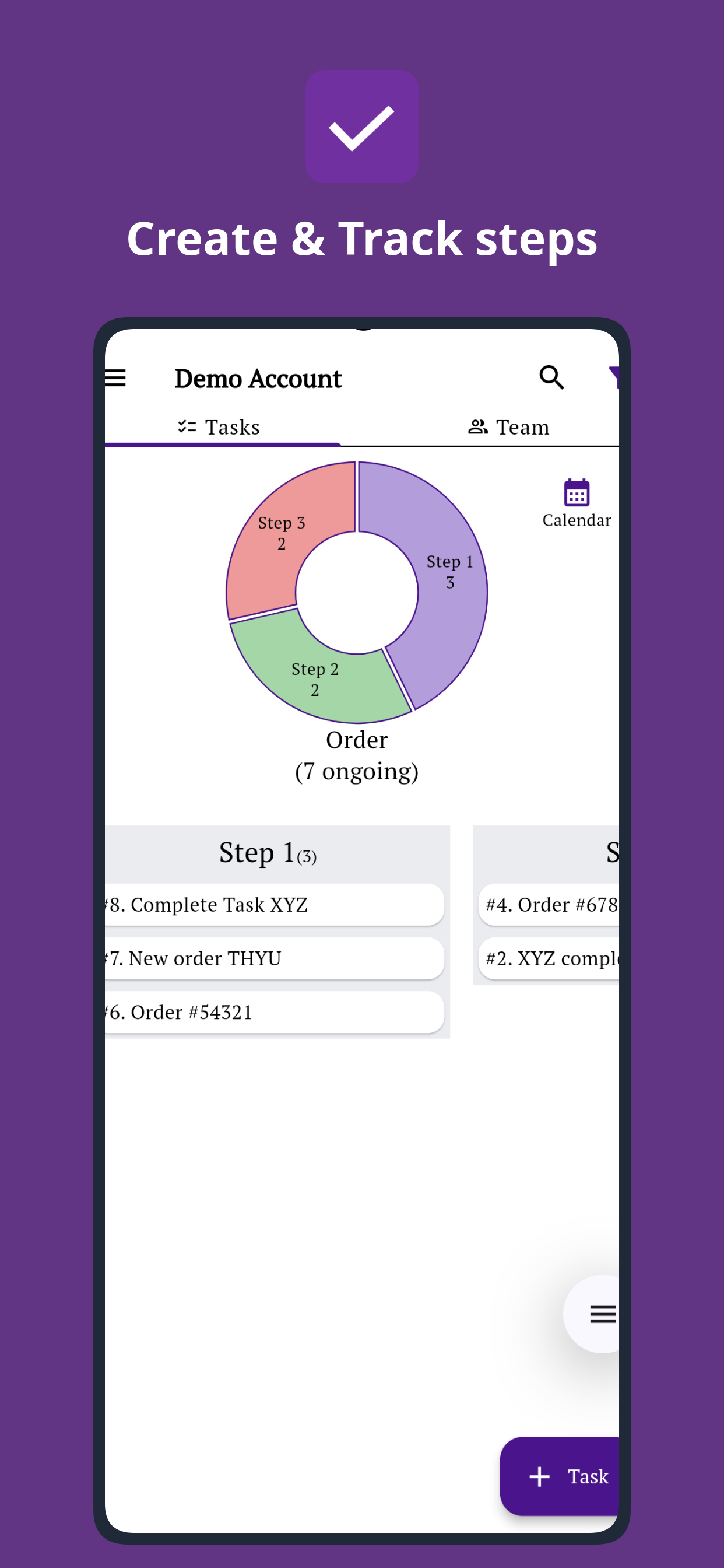
Define the route once instead of rebuilding a project for every customer job. Each new job enters the same process with its own customer, details, current stage and owner.
This is why creating a separate project structure for every short job can feel wrong. If the process is largely the same each time, the software should let the workflow carry the structure while each new job carries only its own customer, files, updates, owner and current state.
Track the Job, Not Just a Status Label
A stage such as “In Progress” is useful, but it is not enough by itself. The person taking over still needs the context required to act.
For small operational teams, the live job should become the place where the state of the work and the story of the work stay together.
For a deeper explanation, see workflow management with steps, stages and approvals.
How to Track Jobs Through Stages Without Overengineering It
Start with one real recurring process. Do not begin with a company-wide system diagram.
Name the thing you actually track
Call it what your team already calls it: job, order, case, request, repair, client file, work order or something else.
Write the real stages
Ignore the ideal SOP for a moment. Write what normally happens from arrival to closure, including waiting and approval stages.
Create one live item per job
Do not recreate the workflow. Each new job should enter the existing process with its own customer, details and context.
Make the current owner explicit
The job should not merely change status. When responsibility changes, the team should be able to see who owns the next action.
Keep evidence with the job
Attach the files, photos, notes, forms or approvals that the next person needs instead of spreading them across chat and email.
Define what “done” really means
Completion may require dispatch, customer confirmation, quality checking, payment evidence or another final verification step.
See the Job Stage, Owner and Next Action Together
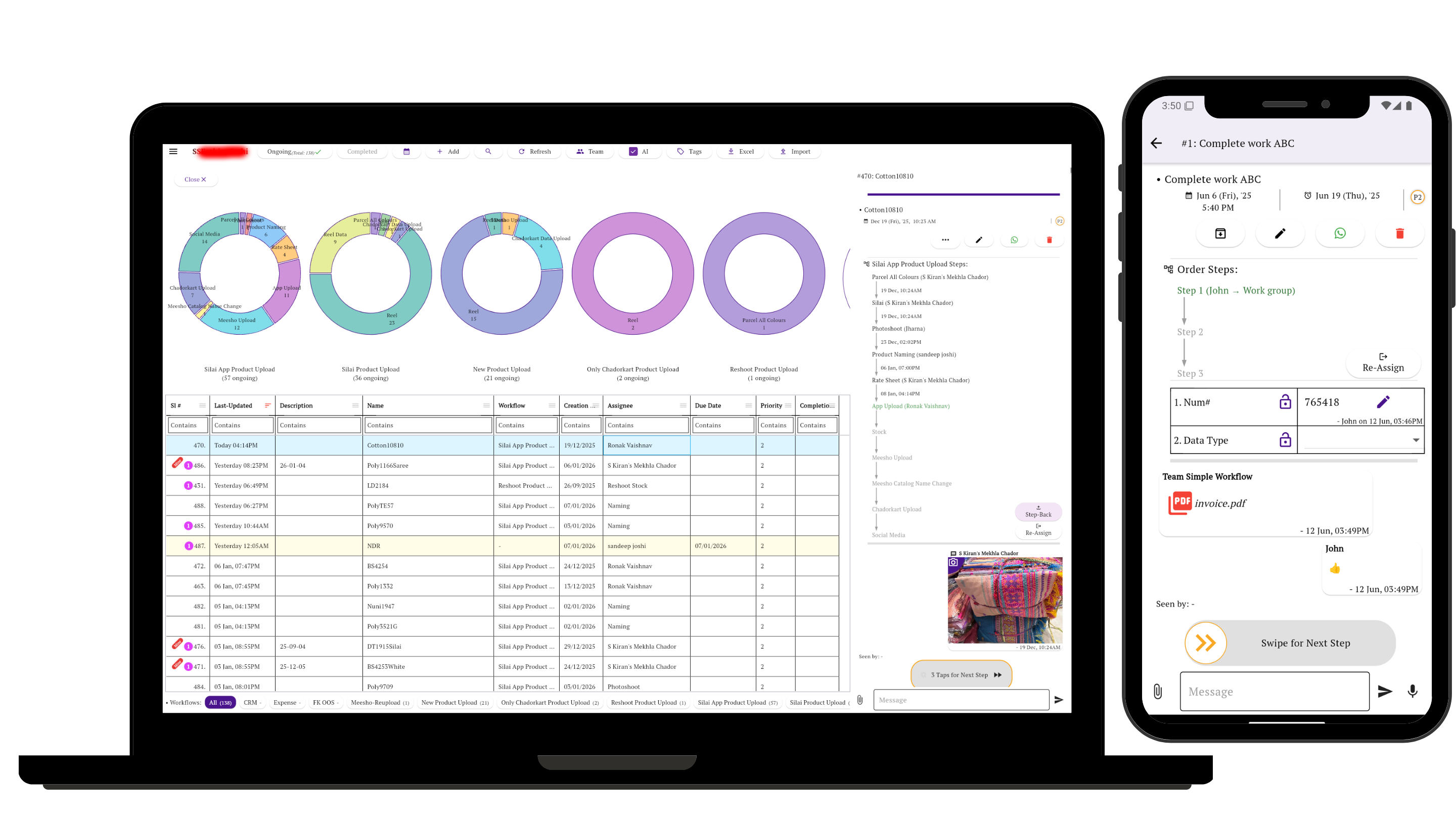
Each live job should answer the questions the team asks most: Where is it now? Who is responsible? What needs to happen before it moves forward?
In Simple Workflow, the reusable process carries the route. The individual job carries its current stage, owner, customer details, updates, files, forms and movement history.
When responsibility changes, the next person can open the job and see both the next action and the context left by the people who handled it earlier.
If your work is mostly individual to-dos rather than stage-based jobs, see simple task management without project-management clutter.
Related Guides
Job Tracking Workflow: FAQs
What is a job tracking workflow?
A job tracking workflow is a reusable sequence of stages used to move many live pieces of work from start to finish. Each job has its own customer, details, current stage and history, while the workflow defines the normal business process through owners, checks, approvals or handoffs.
What is the difference between job tracking and project management?
Project management often focuses on planning a relatively unique body of work with tasks, milestones, timelines and dependencies. Job tracking is often more repetitive: many orders, cases, requests or service jobs move through roughly the same stages. In that situation, the most important questions are usually where the job is now, who owns it and what happens next.
Do I need to create a new project for every customer job?
No. If your jobs repeatedly follow the same process, you can define that workflow once and move individual jobs through it. Each job keeps its own status, ownership, updates and history without requiring the team to create a new project structure every time.
How does Simple Workflow track jobs through stages?
In Simple Workflow, a live job can be tracked as a task moving through predefined workflow steps. The task carries its current stage and ownership, so the team can see where the work is now, who is responsible and what needs to happen next.
Can different people handle different stages of the same job?
Yes. This is one of the main reasons to use a workflow instead of a basic to-do list. Responsibility can move as the job progresses. One person may prepare the work, another may check it, another may approve it, and somebody else may dispatch or close it.
Can files, photos, forms and updates stay attached to the job in Simple Workflow?
Yes. A task in Simple Workflow can keep updates, files, photographs, form information and workflow history connected to the work. This gives the next person handling the job more of the context they need without reconstructing it from separate messages, spreadsheets or files.
What kinds of businesses can use stage-based job tracking?
Stage-based job tracking can be useful for service businesses, repair teams, printing and production work, accounting processes, insurance renewals, customer onboarding, purchasing, approvals, installation jobs, dispatch and other operations where many similar pieces of work pass through several people before completion.