
How to Build a Workflow with Steps, Owners and Approvals
Turn a recurring real-world process into useful workflow stages. Decide where ownership changes, distinguish active work from waiting, add verification or approval where it matters, and keep the workflow simple enough to follow.
- Stages based on real handoffs
- One clear owner at each stage
- Checks only where they add value
How to turn a real process into workflow stages
Start with what the team already does rather than designing an ideal process from a blank page. Follow one real order, request or job from its trigger to its finished outcome, then mark the meaningful changes along the way. Our analysis of how 200 sampled teams manage their work found that even small teams can have surprisingly structured, multi-step workflows.
Define the start and finish
Choose one repeatable process. Write down what starts it, what a completed outcome looks like and which exceptions belong outside the normal flow.
Mark handoffs, waits and decisions
A possible stage appears when responsibility moves, work must wait, or someone checks a result and decides what happens next.
Describe the current state clearly
Use names such as “Awaiting customer artwork” or “Manager approval” so the team can understand the status and next action at a glance.
How to avoid creating unnecessary workflow steps
A stage should communicate a meaningful change in responsibility, status or control. If the same person can complete several actions without a handoff, wait or decision, those actions usually belong in one stage or checklist.
Keep minor actions inside the work
- Every checkbox or field the same person completes
- Two labels that mean almost the same thing
- A status nobody uses to make a decision
- A step added only to make the workflow look detailed
The process meaningfully changes
- Another person or team becomes responsible
- Work pauses for information, a date or an external event
- A result must be verified or approved
- The team needs to measure or manage that state separately
Example: turn an order process into five stages
Map the real sequence first. Keep a stage when it communicates a handoff, a distinct state or a check that the team needs to see.
Decide the owner, type and exit condition for each stage
A useful stage answers three questions: who is responsible now, what is happening or being awaited, and what must be true before the work moves on?
Change ownership when responsibility changes
Keep the current owner while that person remains accountable for the next action. Change the owner when another person or team must act—not merely because they were informed or consulted.
Separate active work from waiting
An active stage has work someone can do now. A waiting stage pauses for a customer reply, delivery, date or other event. Name what is awaited and assign someone to monitor it.
Use verification and approval deliberately
Verification checks that work and evidence meet the requirement. Approval authorizes a decision, expense or next action. Use a separate stage only when that check can change what happens next.
Set up the stages, then test them with real work
Build the first version around one actual process. Run a few real tasks through it and adjust stage names, owners or checks when the flow is unclear.
- Create stages from the process you mapped
- Assign the responsible person or team
- Use clear labels for active and waiting states
- Move work forward or step it back when a check fails
- Remove stages that do not improve ownership or visibility
Five concrete workflow step examples
The right stages depend on the work. These examples show how handoffs, waiting states and checks can appear in different operational processes.
Orders
Order received → Processing → Dispatch → Delivery → Payment verification
Sales
Lead received → Follow-up → Awaiting customer response → Site visit → Quotation → Approval
Service issues
Issue reported → Assigned → Work completed → Verification → Closed
Internal approvals
Request created → Manager review → Approval → Execution → Confirmation
Production and dispatch
Job received → Material prepared → Production → Quality verification → Dispatch
For industry-specific examples, see how print shops track jobs through artwork, proof approval, production, packing and dispatch, or how wholesale and distribution teams coordinate orders, purchasing, stock checks, delivery proof and follow-up. For work away from the office, explore how field service teams manage surveys, technician assignments, site evidence, maintenance and customer verification.
Do you need task management or workflow and process management?
Workflow and process management becomes useful when the same type of operational work repeatedly moves through several people, departments, checks or approvals. When work can be completed directly by one person, simple task management software may be a better fit.
Basic task management
Workflow / process management
Project management helps plan and coordinate projects. Workflow or process management moves repeated operational work through defined steps. An ERP is broader, spanning multiple business functions; Simple Workflow is strongest when the need is process execution and tracking rather than a full ERP.
When Simple Workflow is a good fit — and when it is not
Simple Workflow is designed for operational teams that need a repeatable flow of responsibility for day-to-day operations, not every kind of work management.
Simple Workflow is a good fit when
- The same type of work happens regularly.
- Tasks pass between employees, groups or departments.
- Managers need to see where work is pending or stuck.
- Completion may need comments, proof, verification or approval.
- Office and field teams need desktop and mobile access.
Another kind of tool may fit better when
- You only need a personal list of independent to-dos.
- Your main need is detailed project planning, budgets or resource portfolios.
- Your software team primarily plans work through sprints and development backlogs.
- You need enterprise BPM orchestration across complex legacy systems.
- Your work does not repeat or move through a recognizable process.
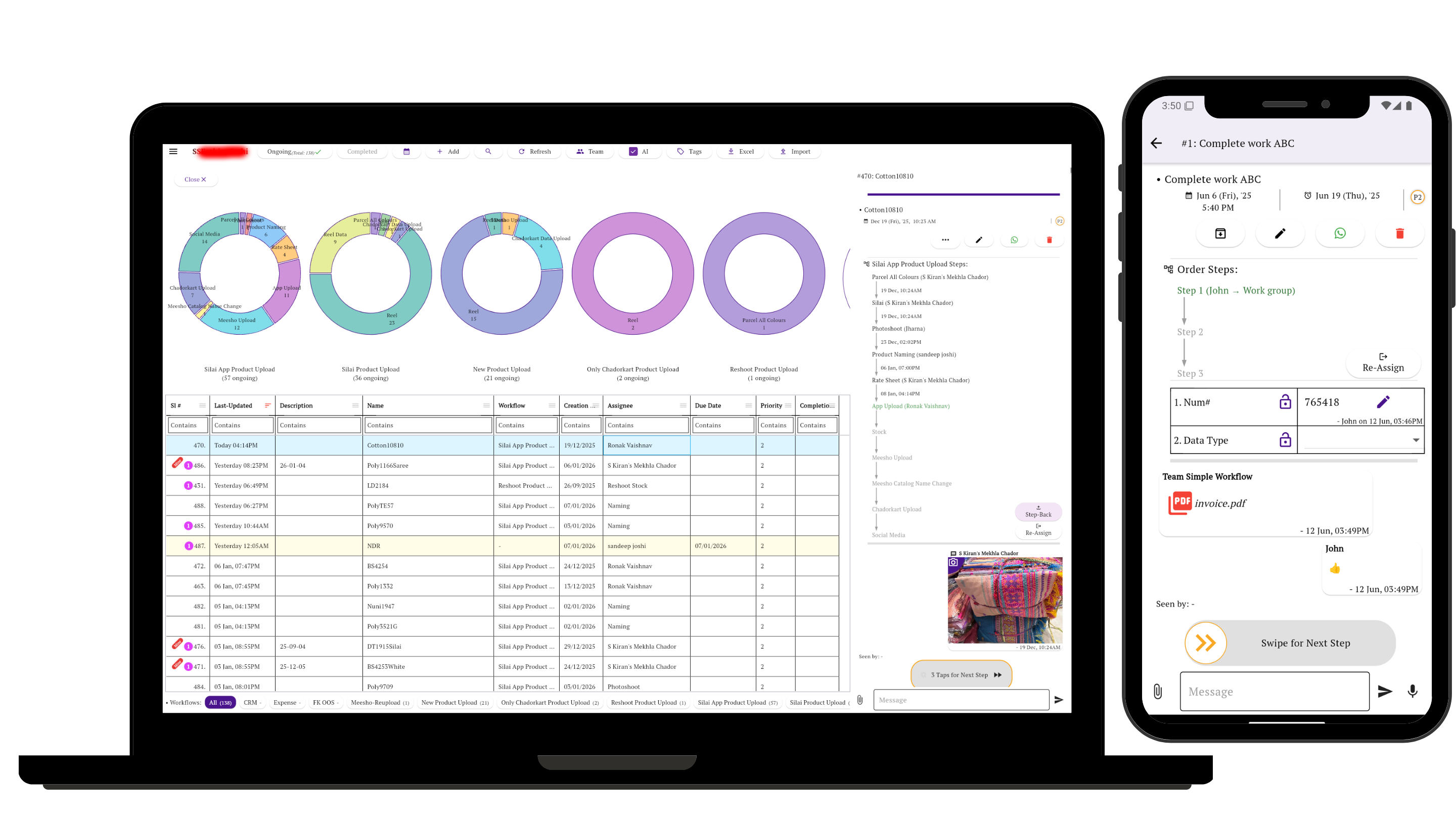
Manage from a laptop. Execute from mobile.
Managers can review workflows, tasks and progress from a larger screen while team members receive work, update tasks and move through workflow steps from their phones.
Start with one process
Pick one process your team repeats regularly, define its steps, and start tracking real work through it.
Create Your First Workflow