
Printing · Packaging · Signage · Gifts
Print shop workflow software.
Know where every order stands.
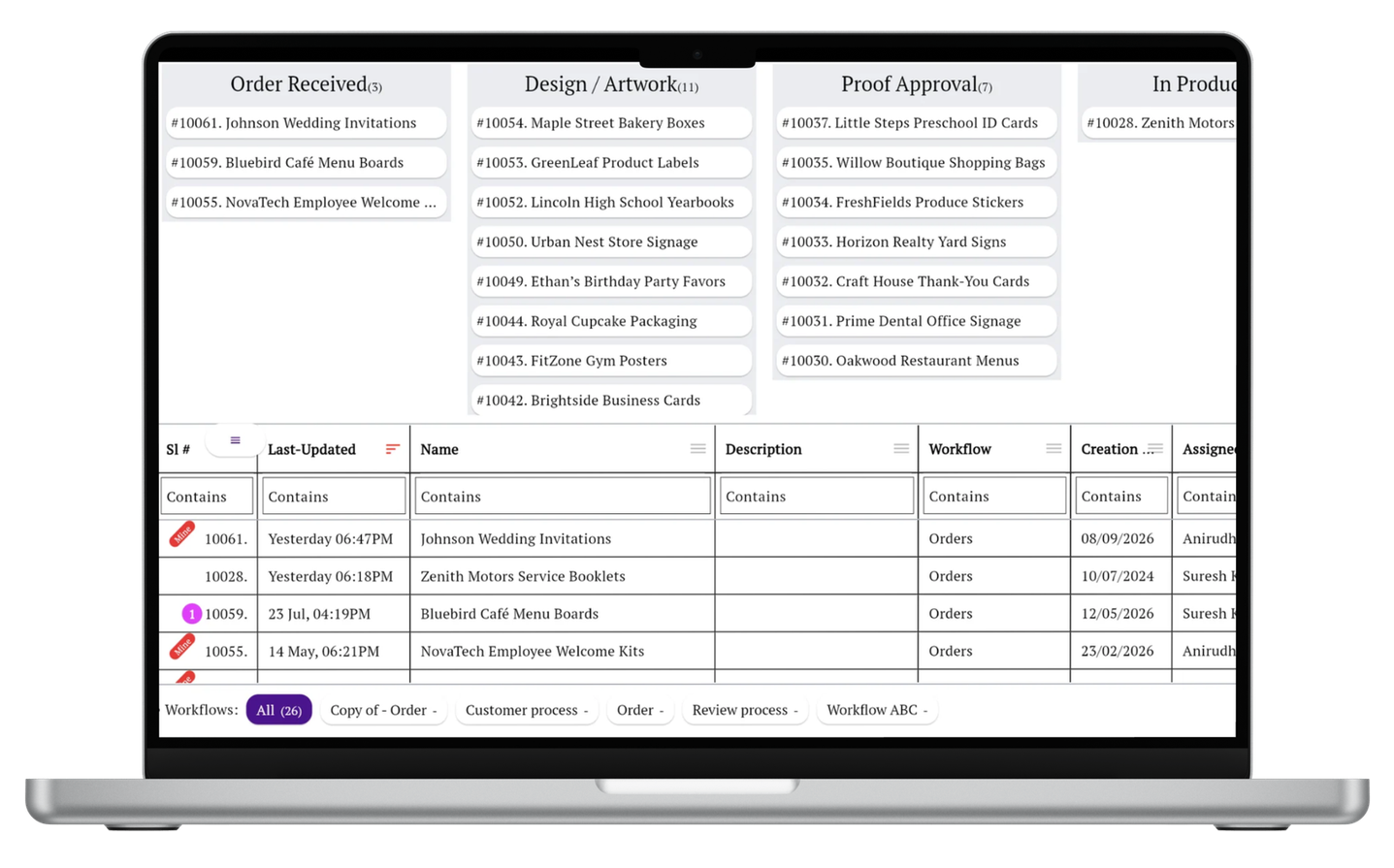
The artwork is ready. Has the customer approved it? Has printing started? Is the order packed, or has it actually shipped?
Simple Workflow helps your team track each job through its production steps, assign responsibility, and keep updates with the order—from the first design to delivery.
Examples drawn from 22 recorded workflows across 10 sampled accounts in printing, packaging, signage, and gifts.
“In progress” leaves too much unanswered
A banner waiting for artwork, a box order waiting for die cutting, and a trophy waiting for assembly are all unfinished. But each needs a different next action.
Print production tracking becomes more useful when you can see the actual stage of the job and who is responsible for moving it forward.
From actual account workflows
Different products need different production steps
These examples come from workflows configured in Simple Workflow. Step labels are shortened where needed, and identifying details are removed. Use the relevant process as a starting point for your own shop.
Banner printing
A short production routeOrder onboarding → Artwork → Banner printing → Delivery
The recorded flex-banner workflow has four steps. A straightforward job can stay straightforward; add separate checks only where your team needs them.
Apparel printing
Direct-to-garment (DTG)Quote → Design → Proof approval → Print-ready files → Ordering → Check-in / sorting → DTG production → Finishing → Shipping
Proof approval and print-ready files are separate steps. The same account also has an embroidery workflow with a stitchout, stitchout approval, and pre-production approval before embroidery production.
Printed packaging
Corrugated boxesPaper quantity → Printing quantity → Pasting → Die cutting → Side pasting → Packing → Delivery
Printing is followed by several converting and finishing stages. This account keeps separate workflows for corrugated boxes, rigid boxes, and general printing, so each product has its own route.
Signage installation
Pole brandingFrame making → Printing → Installation and mounting on poles
The source workflow names outside production contacts and an installation reference. For this kind of order, completion means the sign is installed—not simply that printing is finished.
Trophies and awards
Assembly and dispatchDesigning → Design approval → Printing and cutting → Assembling → Verify → Packing → Ready for dispatch → Dispatched
The three-person team behind this workflow separates design approval, assembly, verification, and dispatch. Its badge orders follow a different route through engraving or printing and assembly.
Corporate gifts
Design through order closureTake the order → Brainstorming and design finalization → Handoff to operations → Designing → Mockup → Printing / cutting / marking / engraving → Finishing and packing → Quality check → Delivery → Payment → Close order
The handoff from sales or design to operations is explicit. Delivery, payment, and order closure are also separate steps, so production completion does not hide unfinished follow-up.
Using Simple Workflow
Keep the stage, the person, and the job update together
Create a task for each order or production job. Give it the workflow that matches the product, then track it as your team completes each part.
See the current stage
Review which jobs are waiting for design approval, in production, being packed, or ready to leave. Use your own stage names.
Make responsibility clear
Assign work to the relevant person or team. When a job needs attention, you know whom to ask and what needs to happen next.
Keep a record of the work
Add comments, files, and photos to the task. Record the approval or completion update so the next person has the context.
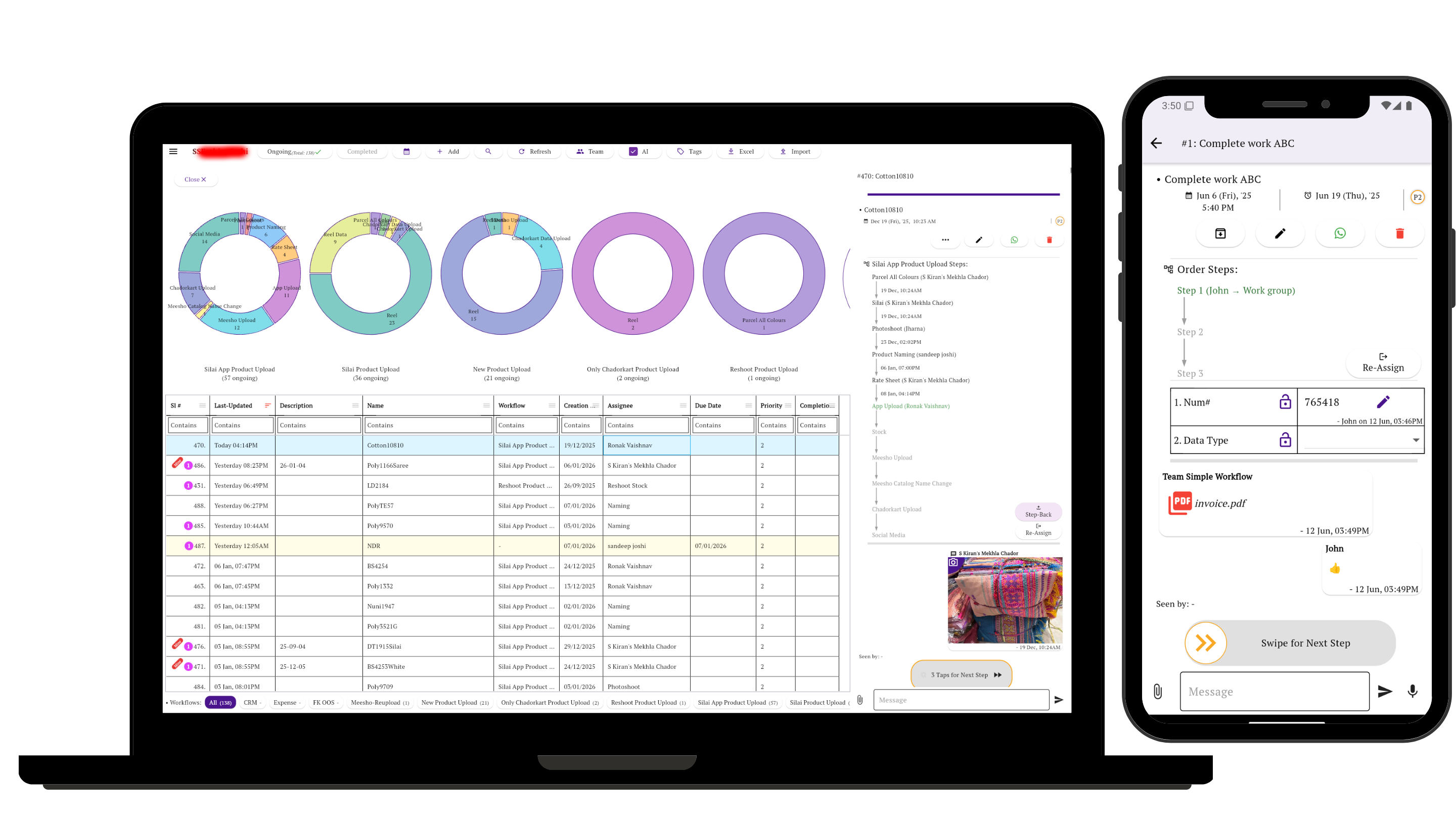
Review jobs from your laptop while your team updates work from their phones. See more about workflow steps, ownership, and approvals, or learn how mobile-first workflow software works across phones and laptops.
Start with one product your shop makes regularly
Choose a banner, printed box, T-shirt, or gift order. Write down the stages it actually passes through, including approvals and outside work. Then use that workflow for the next live job.
Keep specifications with the task rather than turning every detail into a production stage. Here is a suggested setup for a print job:
| Job information | What to record |
|---|---|
| Order reference | Customer, order number, and product. |
| Specifications | Quantity, dimensions or garment sizes, material, and finishing requirements. |
| Artwork and approval | The relevant file or reference, plus a comment recording which version was approved. |
| Delivery commitment | Required date, shipping or pickup details, and installation requirements where applicable. |
| Handoff notes | Pending customer input, supplier updates, or instructions for the next person. |
Use separate workflows when the route changes. A printed box can need die cutting and pasting; a trophy can need assembly; an installed sign can need site work. Each job should follow the steps that apply to it. For machining, fabrication, equipment assembly, testing and QC, see manufacturing workflow software. If the work ends with client-approved campaign assets or published content rather than physical production, see marketing and creative agency workflow software.
Questions about print shop workflow software
What does print shop workflow software track?
It tracks a job's progress through steps such as artwork, proof approval, production, finishing, packing, and delivery. In Simple Workflow, you define the stages, assign responsibility, and keep task updates with the job.
Can we use different workflows for printing, packaging, and gifts?
Yes. You can define different workflows for different products. The sampled accounts include separate routes for DTG printing and embroidery, corrugated and rigid boxes, and trophies and badges.
How can we track artwork approval before production?
Add a proof or design approval step before production. Record which artwork was approved in the task's comments or files, then move the job forward when your team has confirmation. This gives the team an explicit approval stage to check.
Can we track outsourced printing or installation?
You can include outside production or installation as workflow stages and assign someone on your team to follow up. Record the supplier's update on the task and move it forward when that work is complete.
Is this a print MIS or estimating system?
Simple Workflow focuses on job stages, responsibility, updates, and approvals. If you need automated print estimating, imposition, machine control, inventory valuation, or accounting, assess those requirements separately. A workflow step called “Quote” or “Payment” records progress; it does not by itself calculate a quote or process a payment.
Can a small production team use it?
Yes. The trophy workflow shown here comes from a three-person account, and the packaging workflows come from a five-person account. Start with the steps your team already follows, then adjust the process as you use it.
Put your next order through a clear process
Choose one product, define its steps, and give each job a place where your team can see what is done and what is waiting.
Need help setting up the process? Get in touch with our team.