
Workflow & Process Management Software for Small Teams
Small teams often do not need more project-management features. They need a simple way to define how a recurring business process moves from one person to another, see who is responsible now, and know where work is stuck.
- Clear recurring processes
- Visible ownership
- Mobile and desktop access
Why small teams outgrow simple task lists
Informal coordination works until the same work starts passing between several people. Then a list of open and completed tasks no longer tells the whole team what should happen next.
The same process happens every day
Orders, service requests, sales follow-ups and approvals repeatedly move through the same sequence.
Work moves between people
One person finishes their part, but another person or team must take responsibility before the work is truly complete.
Managers start chasing updates
Status is scattered across WhatsApp, email and spreadsheets, so managers start chasing updates to find pending work and bottlenecks.
Workflow software should not create more work
A small team needs enough structure to run a reliable process without taking on the administration of a broad project suite or enterprise BPM system. Before committing to a custom system, review when buying workflow software makes more sense than building it.
Complexity the team has to manage
- Long setup and configuration projects
- Dashboards and fields that the team does not use
- Specialist administration for everyday changes
- Project-planning features around a simple operational process
A clear way for work to move
- Define the recurring stages once
- Give each task and step a responsible owner
- Collect updates and verify completed work
- See pending work without asking everyone for status
What small teams need from workflow and process management software
The useful features are the ones that make day-to-day responsibility and progress easier for everyone to understand.
Process steps and workflow stages
Turn a recurring business process into clear steps that match how your team works.
Assignment and ownership
Make it clear who is responsible for the task or its current step.
Verification and approvals
Review updates, comments, files, photos or proof before closing work.
Pending-work visibility
See current stages, owners and bottlenecks without chasing status messages.
Mobile and desktop access
Review the operation on a laptop while team members update work by phone.
A quick starting point
Begin with one real process and add structure as the team starts using it.
Workflow examples for a small team
Simple Workflow lets each team define stages around its own operation instead of forcing every type of work into one template.
Orders
Received → Processing → Dispatch → Delivery → Payment checked
Sales follow-up
Lead received → Follow-up → Site visit → Quotation → Approval
Service jobs
Issue reported → Assigned → Work completed → Verified → Closed
Internal approvals
Request created → Review → Approval → Execution → Confirmation
Production and dispatch
Job received → Material prepared → Production → Quality check → Dispatch
Task management vs workflow software for a small team
The difference is not team size. It is whether work is a one-person to-do or a repeatable process that must move through people, checks or stages. For straightforward work, simple task management software may be all the team needs.
When Simple Workflow is a good fit — and when it is not
Simple Workflow is designed for small operational teams that need a repeatable flow of responsibility for day-to-day operations, not every kind of work management.
Simple Workflow is a good fit when
- The same type of work happens regularly.
- Tasks pass between employees, groups or departments.
- Managers need to see where work is pending or stuck.
- Completion may need comments, proof, verification or approval.
- Office and field teams need desktop and mobile access.
Another kind of tool may fit better when
- You only need a personal list of independent to-dos.
- Your main need is detailed project planning, budgets or resource portfolios.
- Your software team primarily plans work through sprints and development backlogs.
- You need enterprise BPM orchestration across complex legacy systems.
- Your work does not repeat or move through a recognizable process.
Overview for managers. Simple updates for the team.
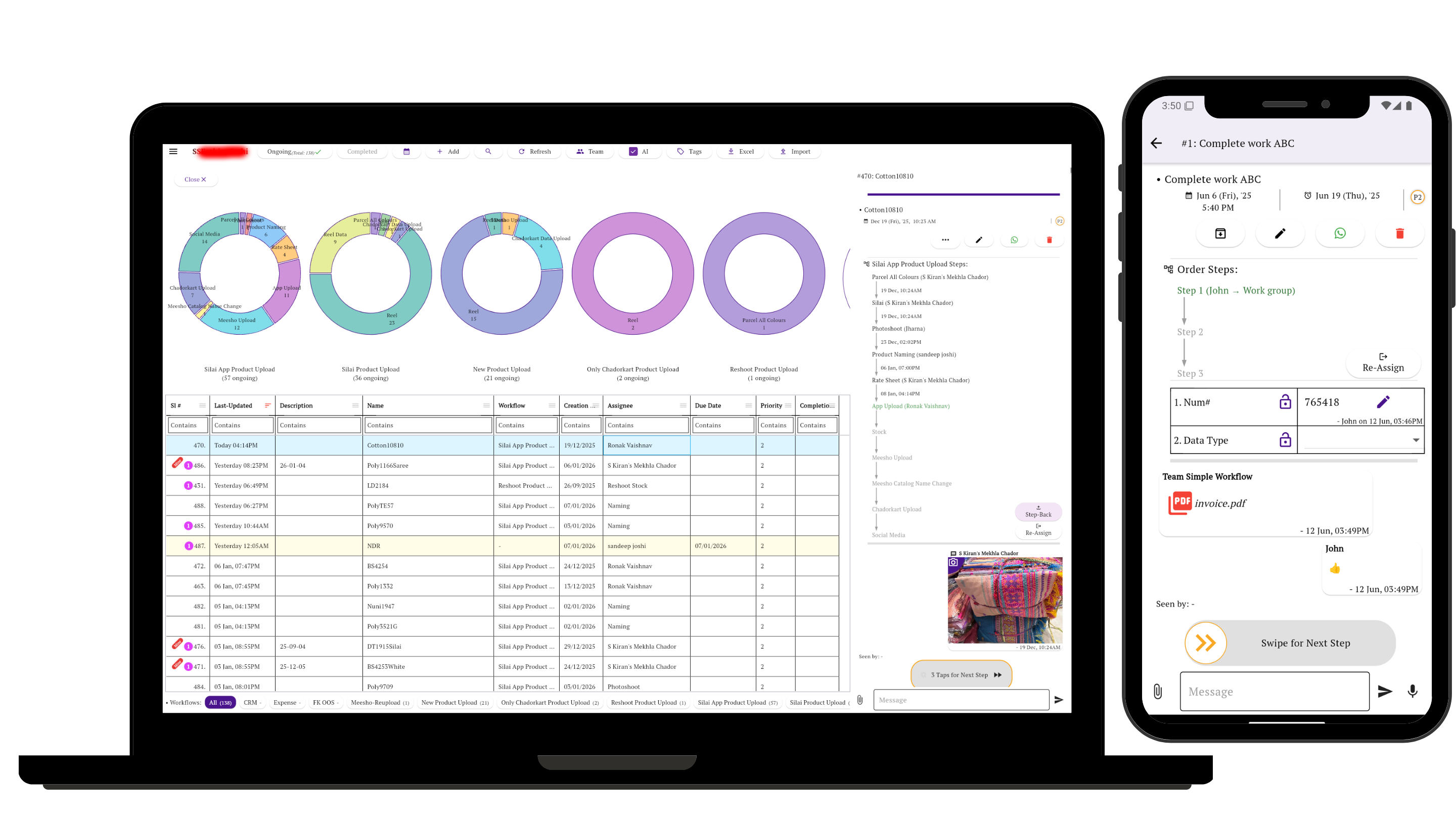
Managers can review workflows, owners and progress from a laptop. Team members can receive tasks, fill forms, add updates and move work through its steps from mobile.
Start with one process your team already repeats
Choose a real process, define the stages and owners, and give the whole team one place to see what is pending and what happens next.
Create Your First Workflow